Invoice Maker Tofu & Receipts
- 4.6
- Rating
- 1.00M
- Installs
- Free
- Price
 Analysis by App-foxy
Writing an invoice after finishing the actual work is one of those small business chores that quietly steals time. I have often found that the job itself is straightforward, while remembering the customer’s details, calculating the total, formatting a receipt, and sending something that looks trustworthy becomes the tiring part. Invoice Maker Tofu & Receipts is built around that recurring problem. It is a free business app from GetPaid Inc. that helps turn those details into invoices, estimates, and receipts from a phone.
My overall impression is that it is most useful when I need a practical document quickly rather than a complete accounting system. It focuses on the front end of getting paid: preparing a clear charge, giving the customer a record, and keeping the process moving while I am away from a desk. That narrow focus is also important to understand. This is not the kind of tool I would choose to replace bookkeeping, tax preparation, inventory management, or a full customer relationship system.
The app has reached more than a million installs and holds a 4.4 average from around four thousand ratings, which suggests that its basic approach is working for a substantial number of users. It is rated for Everyone, so the interface is aimed at ordinary business use rather than a specialist accounting audience. I would recommend looking at it as a lightweight invoicing companion: useful for independent workers, small service providers, and anyone who needs a presentable document without opening a laptop.
You May Also Like

 Blood Strike: 2.5 Anniversary
Blood Strike’s Loadouts Turn Every Drop Into a Tactical Gamble
A close look at Blood Strike’s custom loadouts: how fast access to signature weapons reshapes its battle royale rhythm, rewards preparation, and narrows the gap between fights.

 Pandora - Music & Podcasts
Pandora’s Music Is Easy to Start, but Harder to Recover
Pandora’s strength is its low-effort path from a seed to a station. Its weak spot is how much confidence it asks you to place in connection, setup, and quiet recovery.

 8 Ball Pool
 Is Built on Rivalries, Rematches, and Routine
A close look at the rivalries, rematches, shared routines, and unanswered safety questions that turn a quick pool match into a persistent mobile community.

 Samsung Music
’s Quiet Strength Is Playing What You Already Own
Its reach comes less from spectacle than from dependable access to a personal library. That simplicity is both the app’s strongest retention engine and its ceiling.

 AccuWeather: Weather Radar
AccuWeather Review: A Quick, Clear Forecast for Everyday Decisions
For everyday plans, the best forecast is the one you can understand quickly. AccuWeather makes rain timing, radar, and local conditions easy to act on, with a few trade-offs.

 Hill Climb Racing
Why Hill Climb Racing Still Turns Crashes Into One More Run
A tiny car, a bumpy hill and one more upgrade: Hill Climb Racing keeps resurfacing because its simple chaos makes every near-miss feel personal.
More From Our News Desk



Turning a finished job into a usable invoice
I’d use this section to focus on the practical handoff from completed work to a clear customer document: checking the agreed scope, choosing the right document type, and making the amount easy to understand. A quick review of those details before sending can prevent avoidable follow-up and keep a routine invoice from feeling rushed.
The first setup should be treated as an investment
The first time I open an invoice app, I am tempted to create a document immediately. That usually saves a minute now and costs several minutes later. With Tofu, the better approach is to prepare the information that will appear repeatedly before sending anything important. Business name, contact details, payment wording, and the way services are described all affect whether an invoice feels complete.
I would begin with a small, realistic test invoice rather than a real customer document. Add one service, check the quantity and rate, review the total, and inspect the final result before sending it. This catches the common mistakes that are easy to miss on a small phone screen, such as an incomplete description or a total that does not match the conversation with the customer.
That test also helps me decide how much detail to include. A vague line such as “work completed” may be quick, but it gives the customer little context. A short description that identifies the task, date, or agreed deliverable is more useful when the customer later searches their email or asks what a charge covered. The app can make the document, but I still have to supply the clarity.
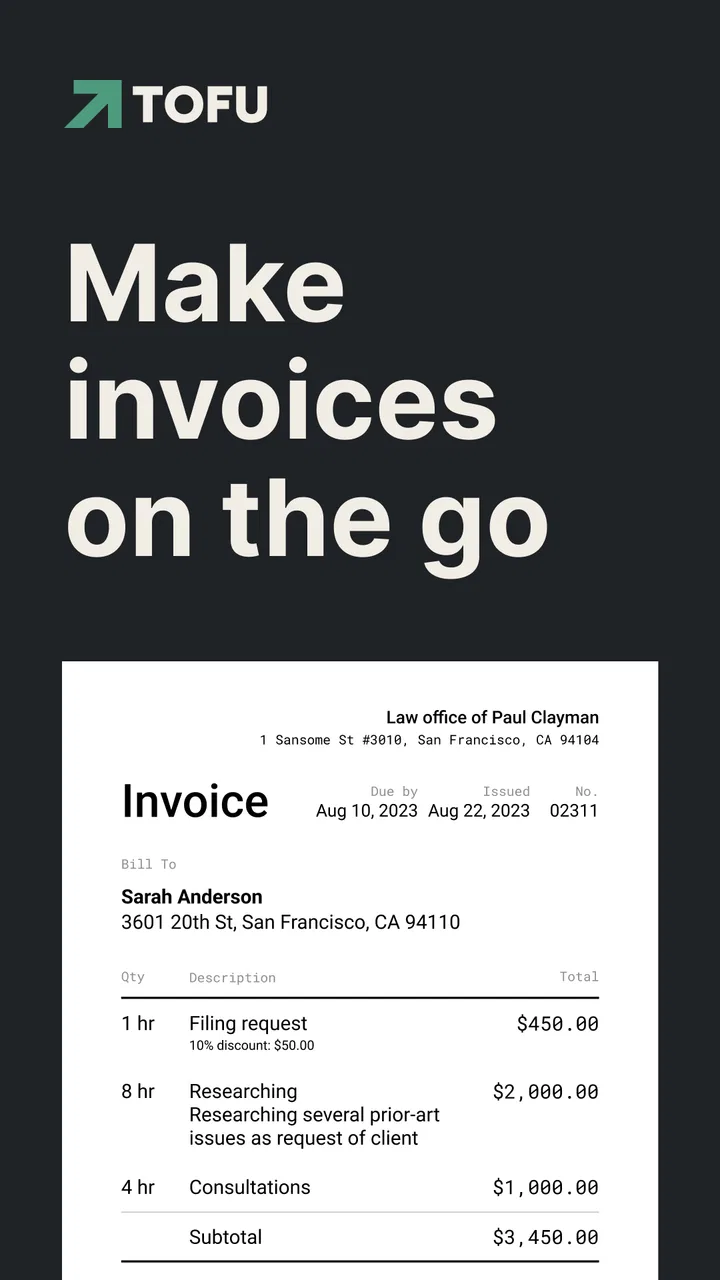
Because the app handles invoices, estimates, and receipts, I would use those document types at different moments instead of treating them as interchangeable. An estimate belongs before the work is agreed. An invoice asks for payment after the amount is known. A receipt confirms that money has been received. Keeping that sequence straight avoids one of the most awkward small-business errors: sending a receipt when the customer has not paid yet.
A useful mobile workflow for independent work
The strongest use case is a person who finishes work in different places and does not want to reconstruct the job at night. A cleaner workflow is to make a brief note immediately after the appointment, open the app when the details are still fresh, and produce the invoice before moving to the next task. The value is not only the document itself; it is the reduced chance of forgetting a minor charge or delaying the request for payment.
I also like the idea of separating customer communication from internal memory. Instead of relying on a message thread that says “the usual service,” the invoice becomes a durable summary of what was agreed. That is especially helpful when a customer has several jobs over time. A clear document makes follow-up conversations less dependent on remembering exactly what happened weeks earlier.
For recurring work, consistency matters more than decoration. I would keep service names stable, use the same wording for similar jobs, and avoid changing descriptions casually. That makes later review easier and gives customers a familiar format. It also reduces the mental effort of creating the next invoice, because I am selecting a known pattern rather than composing every line from scratch.
Where the app fits better than a spreadsheet
A spreadsheet can calculate totals, but it usually leaves the user responsible for making the result look like a customer-facing document. A word processor can produce a polished page, but it is slower when I need several line items or a quick estimate. Tofu sits between those options. It is more direct than building a template manually, while still being simpler than a full accounting package.
That simplicity is valuable for people who do not need reports every day. A mobile invoice maker is a sensible choice for a tutor, cleaner, photographer, repair worker, consultant, or small online seller who mainly needs to describe work and request payment. It is less convincing for a company with multiple staff members, complex tax rules, stock control, or detailed financial reconciliation.
The trade-off is that a focused tool may leave more responsibility with me. I still need a separate habit for tracking whether an invoice was paid, storing important records, and checking business obligations. The app can remove document-making friction, but it should not be mistaken for a complete financial control system.
Everyday scenarios where the time saving is real
Imagine I finish a home repair in the afternoon and the customer asks for an invoice before I leave. With a paper notebook, I might promise to send it later, then forget whether the quoted amount included materials. With a laptop-based service, I might have to wait until I return home. A phone-based workflow lets me enter the agreed work while the details are visible, review the total, and prepare the document before the appointment disappears into the rest of the day.
A second example is a freelance designer who sends an estimate before starting a small project. The estimate gives the customer something concrete to approve, while the later invoice can reflect the final agreed amount. The important benefit is not a clever feature; it is keeping the proposal and payment request as separate steps. That makes the conversation easier to follow and reduces the temptation to rely on scattered chat messages.
For a tutor or music teacher, the app can be useful when several sessions need to be grouped into one charge. I would list the service and the relevant period clearly rather than entering a single unexplained total. The customer can then understand what is being billed, and I have a better record of why the amount was chosen.
A small seller may also use the receipt side after an in-person payment. Here, timing matters. I would only issue the receipt once payment is actually confirmed, and I would check that the wording does not look like an unpaid invoice. That simple distinction protects trust: customers should not have to interpret what a document means.
Small habits that make the app more reliable
One useful habit is to review the recipient and amount aloud before sending. Mobile entry encourages speed, and speed can make a transposed digit or wrong customer easy to overlook. A ten-second check is cheaper than correcting a document after the customer has already seen it.
Another is to create estimates with assumptions written into the description. If the final amount depends on additional work or materials, I would state that plainly in the document rather than expecting the customer to remember a verbal explanation. This is not a substitute for a contract, but it makes the estimate less ambiguous.
I would also avoid using the invoice as my only record. After sending a document, I would keep a simple external note of its status: prepared, sent, paid, or needing follow-up. That extra step may sound old-fashioned, but it is a practical safeguard for anyone whose business depends on several small payments. A fast invoice is helpful; a forgotten unpaid invoice is not.
Finally, I would use receipts as part of a customer-service routine rather than merely as proof of payment. A receipt can close the loop after a job and reduce messages asking whether the transfer arrived. If I send it promptly and keep the wording consistent, the customer gets reassurance without another conversation.
What friction the app removes
The biggest improvement is the removal of blank-page anxiety. Starting from an invoice-focused interface is easier than deciding how to arrange a document in a general writing app. The app’s purpose keeps me focused on the fields that matter: who is being billed, what was supplied, and what amount is due.
It also reduces the gap between doing the work and asking to be paid. That gap is where many solo workers lose momentum. When invoicing requires a desktop, a template, and a careful formatting session, it is easy to postpone. A phone-first tool makes the task feel closer to sending a normal message, although I still need to pause for a proper review.
Estimates are another practical source of friction removed. Many small businesses do not need a formal proposal platform for a simple job, but they do need something more precise than a text message. Preparing an estimate inside the same app keeps the early price discussion connected to the later invoice workflow.
The app is also approachable for people who are not comfortable with accounting software. Its Everyone content rating reflects that broad accessibility, and the current release is version 1.2.13. On Android, it requires version 6.0 or later, so it remains relevant to users who are not carrying a recent flagship phone. That compatibility matters for small operators who keep an older device as their work phone.
Where the experience can become less comfortable
Mobile invoicing is convenient, but a phone is still a constrained workspace. Entering a long customer address, several line items, or detailed project notes can feel cramped compared with a computer. I would not want to prepare a complicated batch of invoices on a small screen if I could avoid it.
There is also a risk of assuming that a clean document equals complete business administration. It does not. Users who need robust payment tracking, tax reporting, team permissions, purchase records, or detailed financial dashboards may outgrow this type of app quickly. In those cases, dedicated accounting software is the better choice even if it takes longer to learn.
The free entry point is attractive, but in-app purchases range from $2.99 to $99.99 per item. That makes it worth checking the upgrade path inside the app before building a workflow around a feature that may require payment. I would start with a few real documents, identify what I actually need, and only then decide whether an optional purchase improves the process enough to justify it.
Another limitation is operational rather than technical: the quality of the result depends heavily on the information I enter. Tofu cannot know whether a service description is legally sufficient, whether a tax treatment is correct, or whether a customer has agreed to a change in scope. It helps me present the transaction, but business judgment remains mine.
Who should use it, and who should choose something else
I see this app as a strong fit for a solo operator who wants to create professional-looking business documents without carrying a notebook or opening a desktop accounting suite. It is particularly suitable when jobs are short, customers are handled directly, and the main need is to prepare an estimate, invoice, or receipt at the right moment.
It is also a reasonable starting point for someone moving away from informal payment requests. If customers currently receive only a text with a total, introducing a consistent document can make the business feel more organized and give both sides a clearer record. The improvement comes from regular use, not from creating one perfect invoice and then returning to old habits.
I would steer larger teams toward a more structured platform. If several people need access to the same customer history, if invoices must connect to inventory, or if management needs detailed reports, a specialist accounting or enterprise tool will be more appropriate. Likewise, businesses with complicated regional tax requirements should confirm that their chosen workflow meets those obligations before relying on it.
People who dislike entering information on a phone may also prefer a desktop alternative. The app’s mobility is its main advantage, so it makes less sense for someone who always works at a desk and already has a reliable invoicing system. In that situation, switching may add another place to manage records rather than removing work.
My final assessment
Invoice Maker Tofu & Receipts succeeds when the problem is simple but repetitive: I completed a job, I need to explain the charge, and I want to send the document before the task gets forgotten. Its free price lowers the barrier to trying it, while its focus on invoices, estimates, and receipts keeps the workflow understandable. GetPaid Inc. has positioned it as a practical business utility rather than an intimidating finance suite, and that is the right direction for its audience.
I would use it with a few safeguards: test the first document, keep descriptions specific, distinguish estimates from invoices and receipts, and maintain a separate payment-status habit. Those steps address the weaknesses that no invoice generator can solve on its own. I would also review any optional purchase carefully, since the in-app range extends from $2.99 to $99.99 per item.
After using it, my recommendation is fairly clear. Choose it if you want to spend less time formatting routine documents and more time finishing the work that creates them. Skip it if you need full accounting, team-wide controls, or advanced financial reporting. For a freelancer or small service business that values speed and straightforward mobile invoicing, it is a useful tool—as long as I treat it as the front desk of the payment process, not the entire office.
FAQs for Invoice Maker Tofu & Receipts
01What features does Invoice Maker Tofu offer for managing invoices?
Invoice Maker Tofu provides a comprehensive set of features for managing invoices, including customizable templates, automated calculations, and real-time tracking. Users can easily generate professional invoices, set up recurring billing, and send reminders for overdue payments. The app also supports multiple currencies and tax rates, making it suitable for international use.
02Is Invoice Maker Tofu compatible with both Android and iOS devices?
Yes, Invoice Maker Tofu is designed to work seamlessly on both Android and iOS platforms. The app ensures a consistent user experience across devices, allowing you to manage your business finances on the go. The intuitive interface is optimized for mobile devices, making it easy to create and send invoices anytime, anywhere.
03Does Invoice Maker Tofu offer integration with other accounting software?
Invoice Maker Tofu supports integration with popular accounting software such as QuickBooks and Xero. This allows for smoother data transfer and synchronization, reducing the need for manual entry. Users can easily export financial data, manage their accounts, and streamline their accounting processes with these integrations.
04Can Invoice Maker Tofu be used for team collaboration?
Yes, Invoice Maker Tofu offers features that support team collaboration. Multiple users can access and manage invoices, track payments, and share reports. This is particularly beneficial for businesses with accounting teams or multiple stakeholders involved in financial management. User roles and permissions can be customized to maintain data security.
05Is there a free trial available for Invoice Maker Tofu?
Invoice Maker Tofu offers a free trial period for new users to explore its features and functionalities. During the trial, users can test all premium features without any cost. This allows potential customers to evaluate whether the app meets their business needs before committing to a subscription plan.
Pros
- User-friendly interface for quick navigation.
- Customizable invoice templates available.
- Seamless integration with payment gateways.
- Cloud sync ensures data is always backed up.
- Multi-currency support for global transactions.
Cons
- Limited free features in the basic version.
- Occasional bugs in PDF generation.
- Customer support response can be slow.
- Requires internet for most functionalities.
- Ads can be intrusive in the free version.

Invoice Maker Tofu & Receipts
Gallery